
KeyMelier
The sommelier for your security keys.
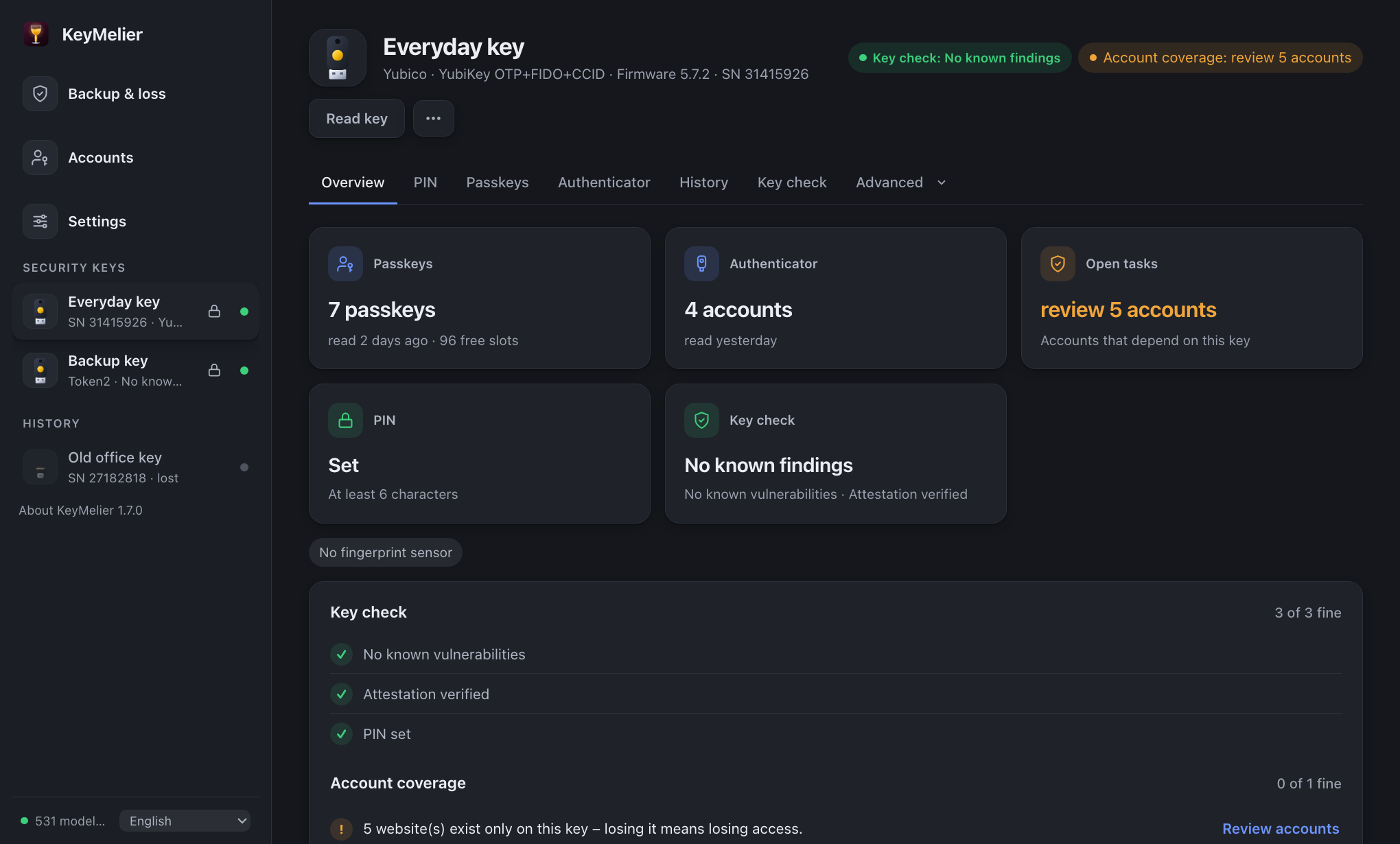
A free, open-source desktop app for macOS, Windows and Linux that checks, rates and keeps track of your FIDO2 security keys – YubiKey, Token2, Feitian and every other vendor – and manages everything on them.
Latest version: see the release page · macOS, Windows and Linux · MIT license · 11 languages
What it does
Is this key genuine and safe?
Attestation verified up to the FIDO Alliance root, certification and revocation status from FIDO metadata, and a signed, self-updating vulnerability database – summed up in a security check with concrete fixes.
What is on which key?
KeyMelier remembers every key it has seen and what was on it: passkey websites, authenticator accounts, OpenPGP keys, certificates. It shows what exists on only one key.
Lost a key?
A lost-key assistant lists where to remove the key, which authenticator accounts to re-enroll, which OpenPGP keys to revoke and which certificates to have revoked.
Manage everything on the key
PIN, passkeys, fingerprints and key settings; authenticator codes (TOTP/HOTP); OpenPGP including key generation on the card; PIV certificates; YubiKey OTP slots; applications per USB/NFC.
Function test
Registers, signs in and verifies a signature like a real website – without storing anything on the key.
Quantum safety
Shows the algorithms a key offers and detects post-quantum signatures (ML-DSA) automatically once keys support them.
How it compares
| KeyMelier | Browser | Vendor apps | |
|---|---|---|---|
| Keys from any vendor | ✓ | ✓ | own keys |
| Signed vulnerability database | ✓ | – | – |
| Attestation verified to the FIDO root | ✓ | – | – |
| Remembers keys and their contents, backup overview | ✓ | – | – |
| Lost-key assistant | ✓ | – | – |
| Authenticator, OpenPGP, PIV, OTP | ✓ | – | ✓ |
Privacy
KeyMelier does not transfer any information about you, your computer or your security keys to other networked systems. It only downloads public data: FIDO Alliance metadata and its signer's revocation lists, KeyMelier's signed vulnerability database, and the latest release number for an update notice. Everything it stores stays on your computer; --stateless disables all storage.
Code signing
Current status: from version 1.8.2 the macOS app is signed and notarized by Apple and opens without a warning. Windows and Linux builds are not signed yet – the release notes of each version state the signing state per platform.
Windows: KeyMelier has applied to the SignPath Foundation's free code signing program for open-source projects. Once accepted, Windows releases will carry: Free code signing provided by SignPath.io, certificate by SignPath Foundation.
macOS: signed with the maintainer's Apple Developer ID (Sven Frank, team ZBLGQ3A56F) and notarized by Apple, from version 1.8.2. To check: spctl -a -vv /Applications/KeyMelier.app shows source=Notarized Developer ID.
Every release is already built by GitHub Actions from a tagged commit and lists the source commit, dependency locks, SHA-256 checksums, an SBOM and third-party licenses – compare the checksums if in doubt. Read the full code signing policy, including team roles.